Switching from iPhone to Android no longer means losing your WhatsApp chats. WhatsApp now provides an official method to safely move your messages, media, and account data between devices.
In this guide, you’ll learn the latest and easiest way to migrate WhatsApp chat history from iPhone to Android, along with requirements, common errors, and pro tips for a smooth transfer.
📌 Things to Know Before You Start
Before starting the transfer process, make sure:
- Your Android phone is new or factory reset
- Both devices are using the same phone number
- WhatsApp is updated to the latest version
- You have a USB-C to Lightning cable (or official adapter)
- Both phones have sufficient battery
📲 Method 1: Official WhatsApp Transfer (Recommended)
This is the safest and most reliable method.
Step-by-Step Process
- Turn on your new Android phone
- During setup, choose “Transfer data from iPhone”
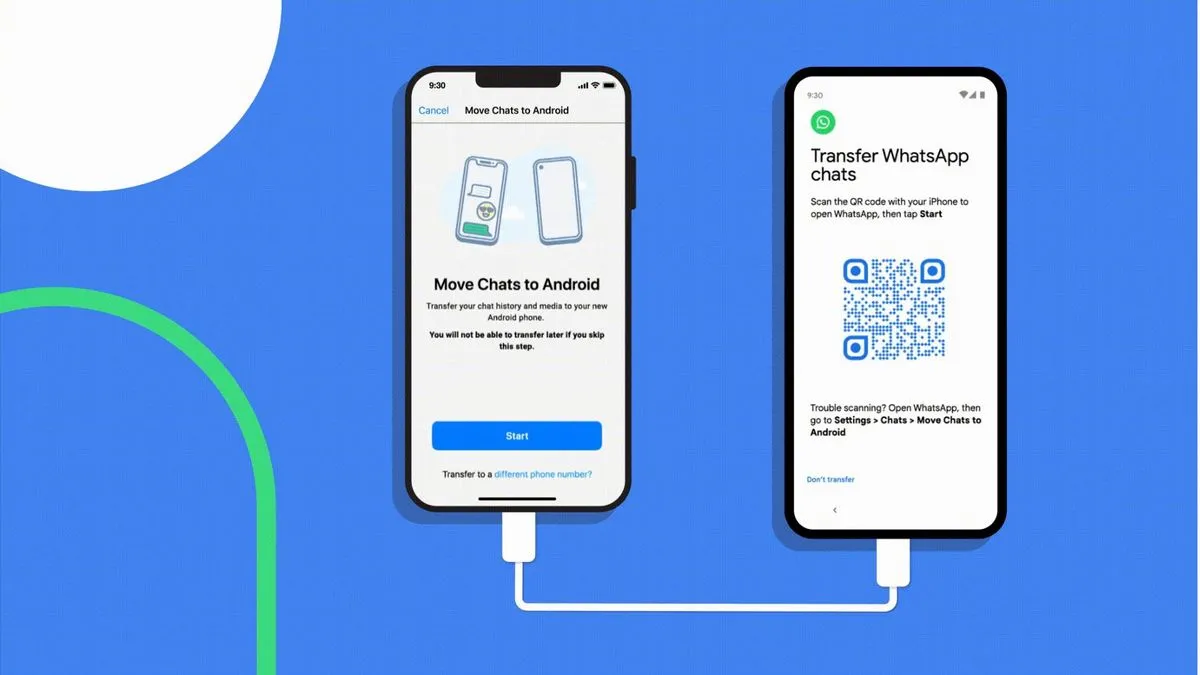
- Connect iPhone to Android using the cable
- Open the Move to Android / Switch to Android option
- Scan the QR code shown on Android using your iPhone
- WhatsApp will prepare your chat data
- Tap Start and wait for the transfer to complete
- Install WhatsApp on Android
- Verify your phone number
- Tap Import chats
✅ Your chats will now appear on your Android device.
⏱️ How Much Time Does It Take?
- Small chat backup → 5 to 10 minutes
- Large chat with media → 20 to 60 minutes
Time depends on data size and cable speed.
📂 What Data Gets Transferred?
✔ Personal chats
✔ Group chats
✔ Chat history
✔ Media (photos, videos, documents)
✔ WhatsApp settings
❌ Call history
❌ Display name & profile photo (you can set again)
⚠️ Common Problems & Fixes
Transfer option not showing?
- Update WhatsApp on both devices
- Factory reset Android and start again
Chats not importing?
- Use the same phone number
- Do not restore Google Drive backup before import
Transfer stuck?
- Keep both phones unlocked
- Disable battery saver
🔄 Can You Transfer Without Cable?
Currently, cable method is the official and most stable way.
Wireless transfer is limited and not available for all devices.
📊 iPhone to Android WhatsApp Transfer Requirements
| Requirement | Details |
| Android Version | Android 12 or above (recommended) |
| iOS Version | iOS 15 or above |
| App | Latest WhatsApp version |
| Connection | Lightning to USB-C cable |
💡 Pro Tips for Faster Transfer
- Delete unwanted videos before transfer
- Keep phones on charging
- Use original cable
- Ensure stable setup process
🏁 Final Words
Migrating WhatsApp chats from iPhone to Android is now simple with the official transfer feature. By following the correct steps and meeting the requirements, you can move your entire chat history safely without third-party apps.